

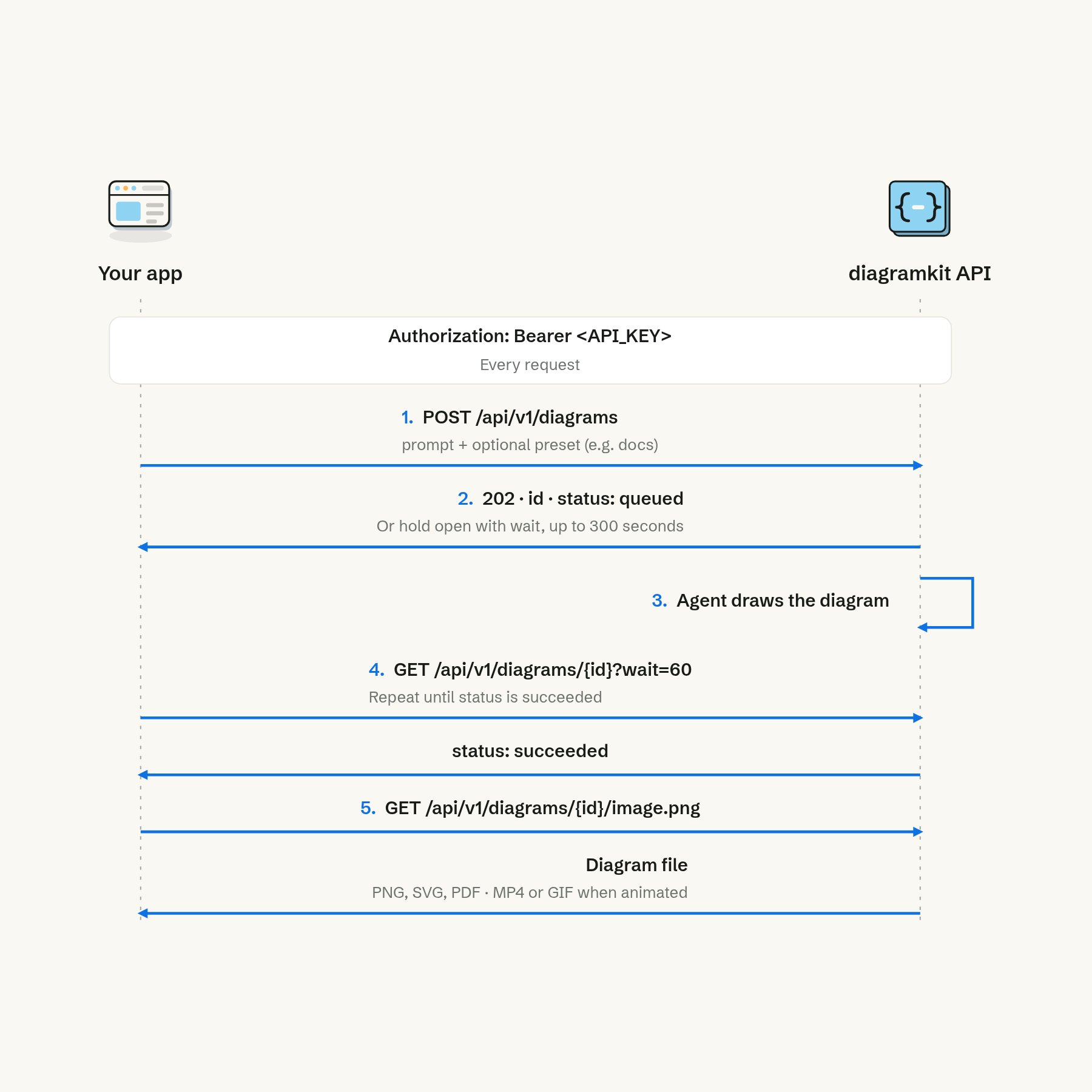
Send a prompt, wait for the agent to finish, then download the file.
Before you start
- The base URL is
https://app.diagramkit.ai/api/v1. Requests and responses are JSON, except downloads, which are the file itself. - Create a key at https://app.diagramkit.ai/settings/api and send it on every request, downloads included:
Authorization: Bearer aid_…. A key is shown once; store it as a secret and revoke it there if it leaks. - Call the API from your server or a script. Browsers are not allowed to call it from other sites, and a key in a web page is a leaked key.
- Diagrams made with the API appear in your diagrams in the app and use your brand kit and writing style.