

- Create a key at https://app.diagramkit.ai/settings/api and send it on every request, downloads included:
Authorization: Bearer aid_…. A key is shown once; store it as a secret and revoke it there if it leaks. - Call the API from your server or a script. Browsers are not allowed to call it from other sites, and a key in a web page is a leaked key.
The MCP
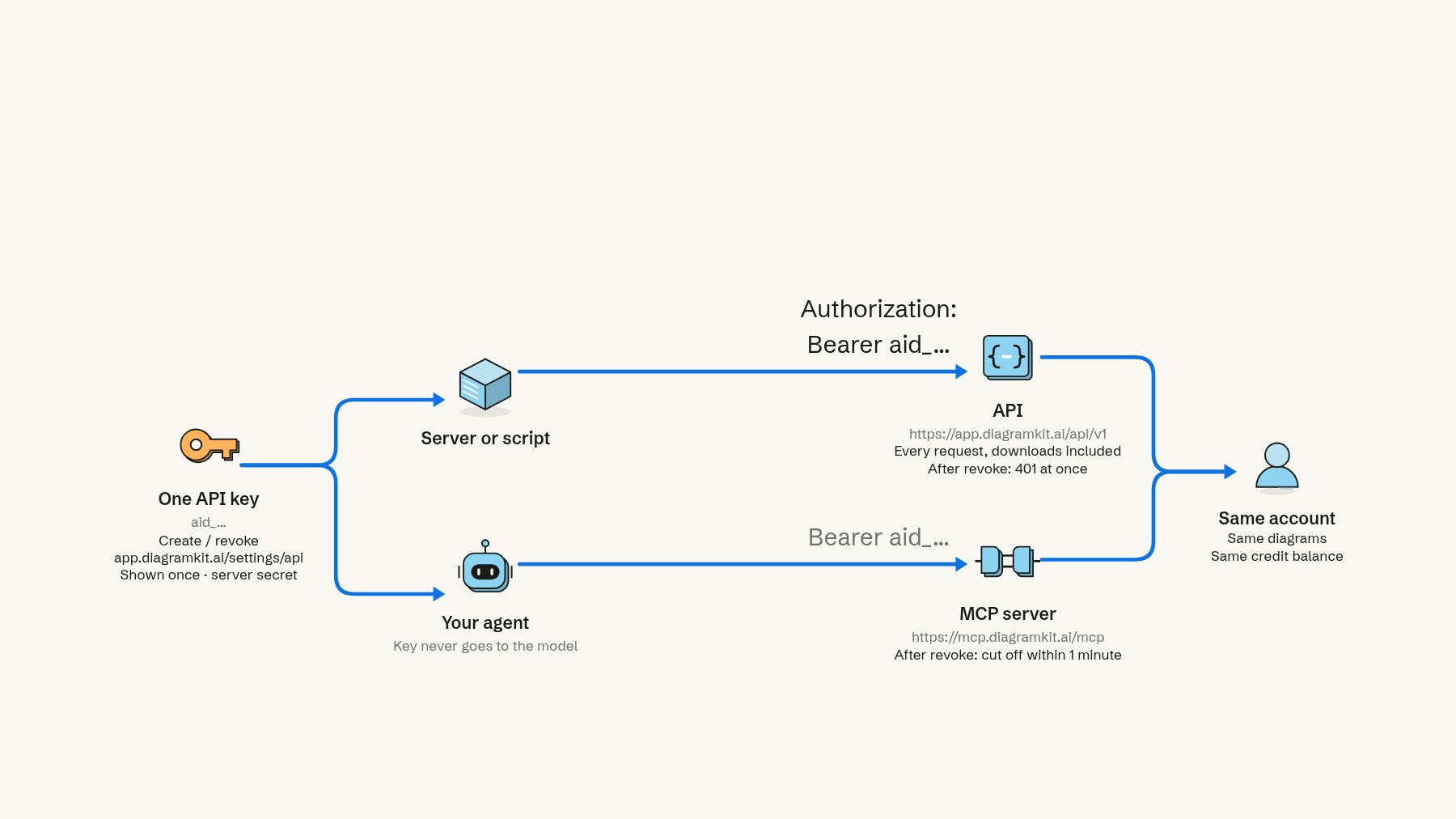
One key opens both the API and the MCP, and both reach the same diagrams and credits.
https://mcp.diagramkit.ai/mcp and send the same API key as the bearer token: Authorization: Bearer aid_…. No sign-in window opens; the key decides whose diagrams and credits it uses, and revoking the key cuts the agent off within a minute. (People connecting their own Claude or ChatGPT use the connector’s sign-in instead.)
A key that is not valid, or was revoked, is refused with 401 and the message to make a new one; the key is never sent to the model, only to diagramkit.