A preset says where the diagram will be used, not what kind of diagram it is. It changes how the agent composes it (shape, words, emphasis, pages) and which download comes first; the prompt’s own words override it. It costs nothing extra: credits are per page as always. The diagram keeps its preset, so every change to it is made for the same destination, until a change names another (preset on revisions, or null for none). Leave it out for a general diagram, exactly as before.
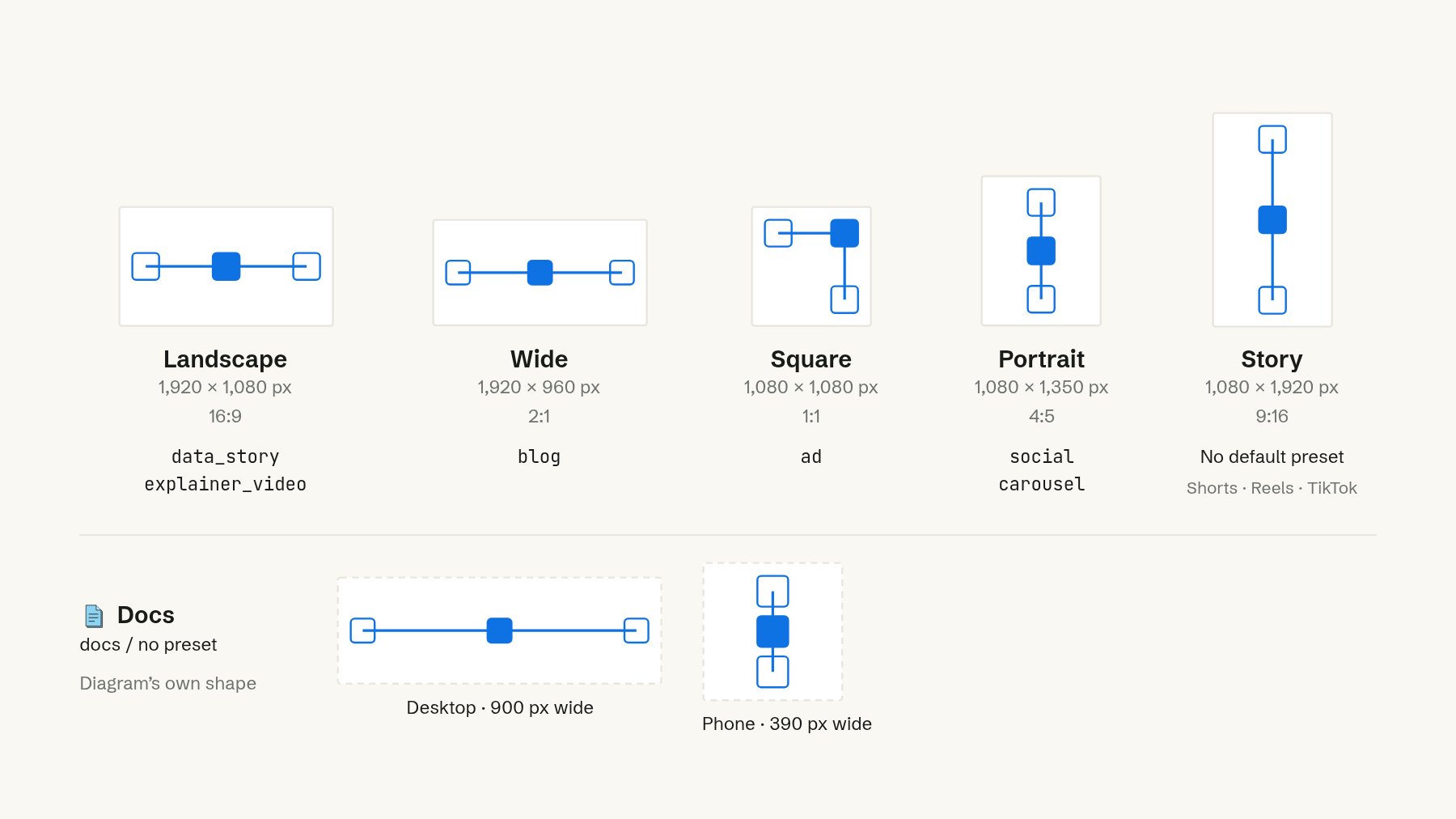
The frames diagramkit lays a diagram out for and the presets that use them: landscape 1920 by 1080 (16:9) for data_story and explainer_video, wide 1920 by 960 (2:1) for blog, square 1080 by 1080 (1:1) for ad, portrait 1080 by 1350 (4:5) for social and carousel, story 1080 by 1920 (9:16) with no default preset, for Shorts, Reels and TikTok. docs and no preset keep the diagram's own shape, 900 px wide on desktop and 390 px on phone.

Each preset lays the diagram out for a frame; the diagram is laid out again for that shape, never cropped. docs keeps its own shape, with desktop and phone layouts.

A job with a preset carries recommended_download, the download its preset offers first, and animation.* without size uses the preset’s frame.